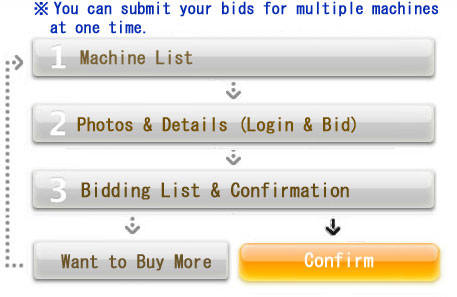
This proceduce is for bidding in Tender auctions and absentee bidding in Parade auctions of NORI Enterprise
For the first Bid:
(1)
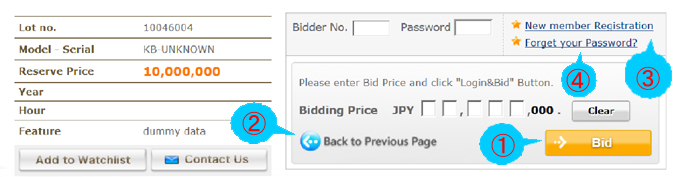
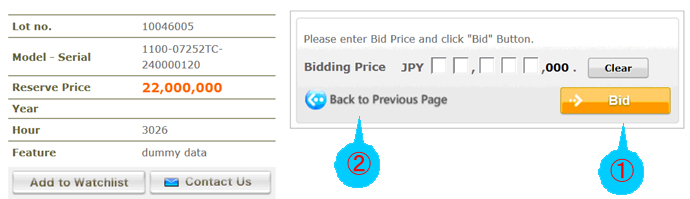
Get into the Detail Page of the item that you are interested in from the Auction List or your MyPage List. Then, write your Bidder Number and Password, place your bidding price higher than the Start price, and click "Bid" button. Bid Confirmation page will appear.
(2)
If you wish to go back to the List without login, click "Back to Previous Page."
If you forget your password but remember your Bidder Number, go to "Forget Your Password?"to have your password sent to your registered e-mail address.
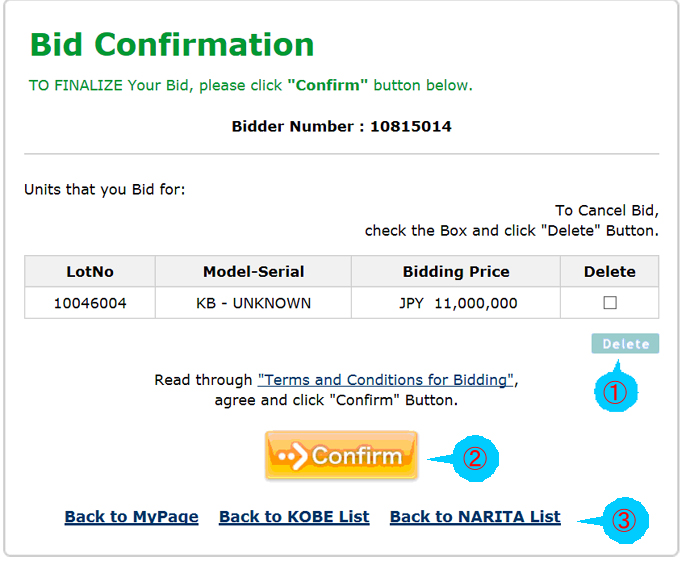
On the Bid Confirmation page the whole list of your bids will be displayed. Make sure that everything is correct, and:
(1)
If you find an error, place a check mark in the Delete box of the machine and click "Delete" button. Your bid for this particular machine will be canceled.
(2)
If everything is correct, click "Confirm" button.
(3)
In order to bid for another machine, click "Back to MyPage","Back to KOBE List" or "Back to NARITA List" and it will bring you back to the List.
(1)
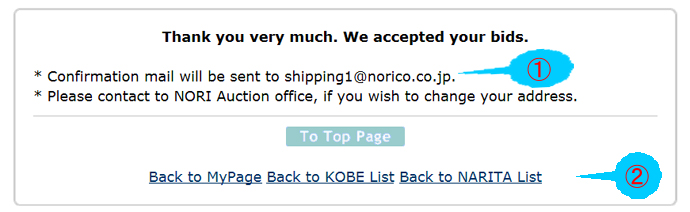
On clicking the "Confirm" button, summary of your bids will be sent to your registered e-mail address.
(2)
In order to bid for another machine, click "Back to MyPage","Back to KOBE List" or "Back to NARITA List" and it will bring you back to the List.
*
If you wish to change your registered e-mail address, contact NORI Office, and your new e-mail address will be valid from the next auction.
The second Bid and thereafter;
(1)
For the second bid and thereafter, Bidder Number and Password are not necessary. Place your bidding price higher than the Start price (on the Detail Page), and click "Bid" button.
(2)
In order to bid for another machine, click "Back to Previous Page" and it will bring you back to the List.
(1)
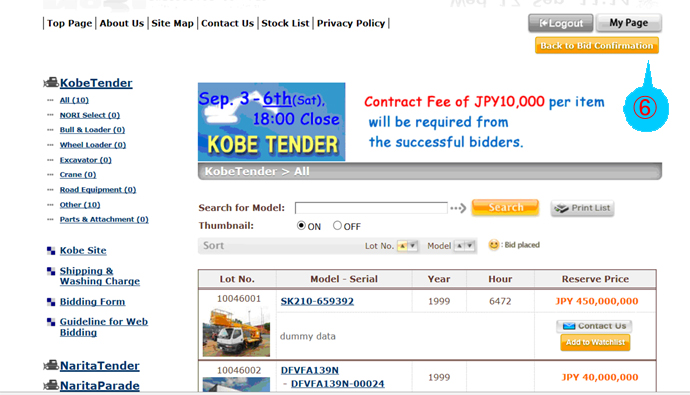
When you go back to the List and don’t find any more machines to bid for, click "Back to the Bid Confirmation." It will bring you back to the Bid Confirmation. Click "Confirm" .